Viewing Video Tutorials
Each lesson usually contains one or more video tutorials. These use animated video and audio to cover key topics in the lesson.There are two types of videos available for viewing. Use the links below to read details about opening and controlling each type:
Viewing Flash Videos
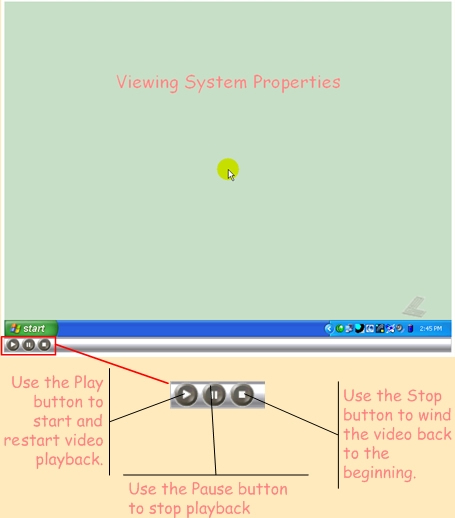
When you click a Flash link, a new window appears like the one below. There may be a delay of a few minutes before the video begins to play back. However, you can always re-play the video, using the Re-Play button, without re-loading it from the Internet.
Viewing Movie Videos
If you have a modem or slower Internet connection, this is the way to view videos. When you click a Movie link, Internet Explorer downloads a file containing a movie and a compact movie player. Choose the Open option as shown below when Internet Explorer asks you what you wish to do with this link.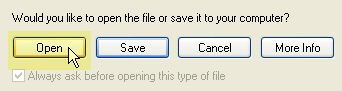
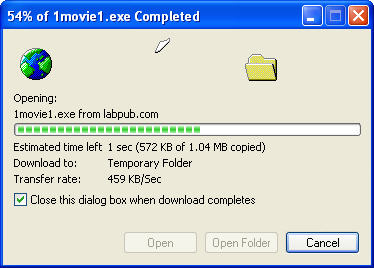
There may be a delay of a few minutes before the video downloads completely. Internet Explorer displays the progress of the download.
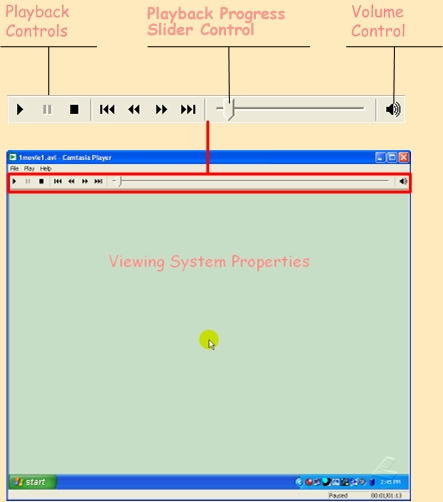
Once the file downloads, the movie immediately begins to play. Use the controls shown below to control the video playback: